
Tutorial · 9 min read
How to Use a Calculator Watch
A calculator watch looks self-explanatory and is not, because the twenty-odd keys on the face do not do one job each. On a Casio module the same physical key means different…
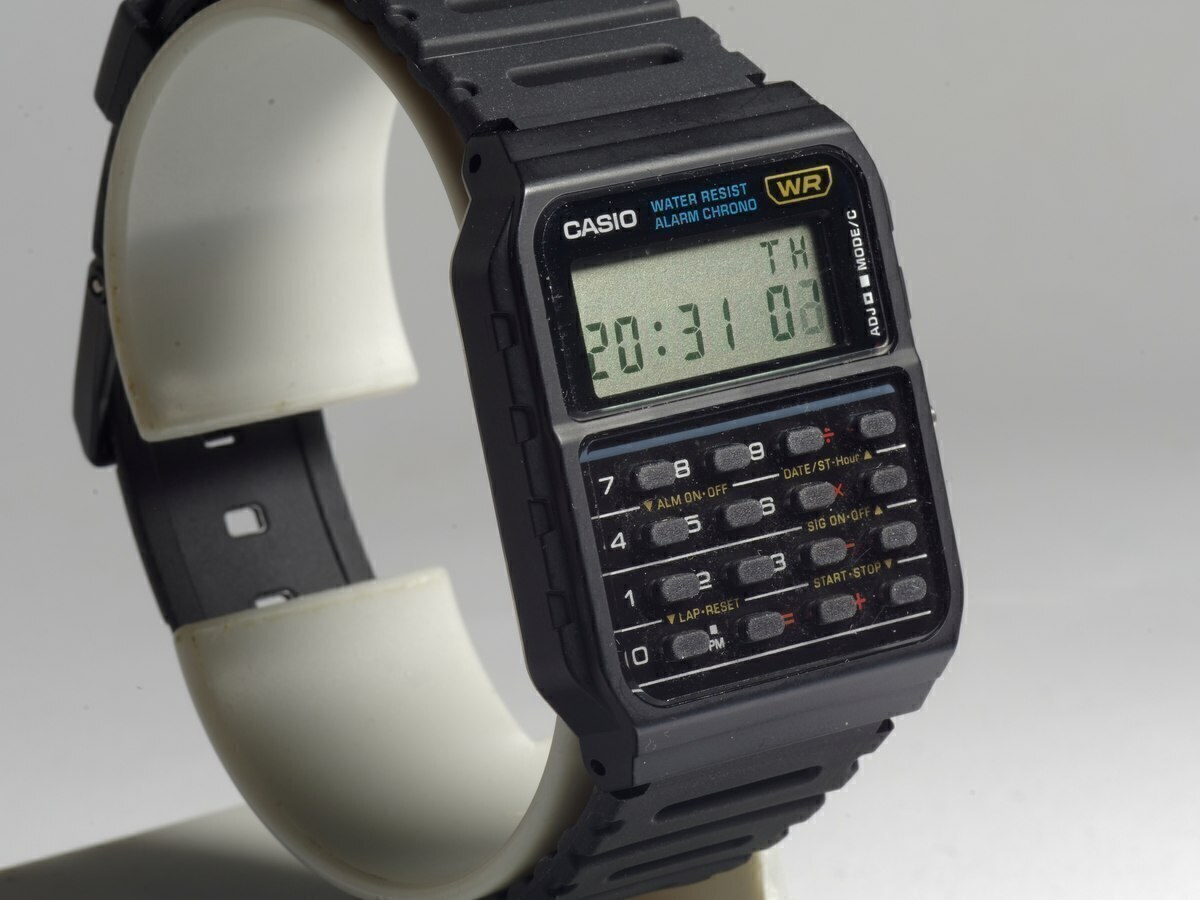
A calculator watch looks self-explanatory and is not, because the twenty-odd keys on the face do not do one job each. On a Casio module the same physical key means different things depending on which mode the watch is in — and finding yourself in the wrong mode is the reason most people conclude their calculator watch “doesn't work properly”.
This guide explains the modes, how to make a calculation, how the constant function works, and the specific traps to avoid. It applies to the CA-series modules used in the CA-53W and CA-500WE, and broadly to the Data Bank modules in the DBC-611 and DBC-32, which add a data bank mode of their own.
Step 1: find the mode button
There is one button that cycles through the watch's modes, and its label differs between references. On the CA-53W it is marked MODE on the right-hand side of the case. Pressing it repeatedly moves you through timekeeping, calculator, stopwatch and alarm setting. The current mode is indicated by a small label on the display — CAL for calculator on most modules.
The important point is that this button does not enter a value; it changes what every other key does. If pressing 7 makes the seconds reset instead of showing a seven, you are in timekeeping, not calculator mode.
Step 2: enter calculator mode
Press the mode button until the display shows the calculator indicator. On most Casio modules this is a CAL or a small calculator glyph on the LCD. From that point the number keys, the four operator keys, the clear key and the equals key behave as they are printed on the case.
If the display continues to show the time with no mode indicator changing, the battery may be low, or you may be pressing the wrong button — the mode button is usually the one that is not part of the numeric grid.
Step 3: make a calculation
Entry is left-to-right and the equals key completes the operation, exactly as on a basic pocket calculator.
- Press the digits of your first number. Digits fill from the right of the display.
- Press the operator: +, −, × or ÷.
- Press the digits of your second number.
- Press = to see the result.
The result stays on the display and can be used as the first number of the next operation, which is how you chain calculations. To clear the display and start again, press the clear key (C or AC depending on the reference); on some modules a single press clears the entry and a double press clears the whole calculation.
Working with the constant function
Casio's calculator modules support constant calculation, which is the feature that separates a calculator module from a simple arithmetic register. Press an operator twice and the watch stores it as a constant, indicated by a small K on the display. After that, entering a number and pressing = applies the stored operation.
The practical use: press × twice, enter 3, press = to triple the displayed number — then enter another number and press = again to triple that. It is the fastest way to apply a fixed multiplication across several figures, and it is genuinely useful for things like working out a tip or converting a list of prices at one rate.
Percentages and square roots
Models with a percentage key let you calculate a percentage of a displayed figure directly: enter the amount, press ×, enter the percentage, press the % key. Models with a square-root key take the root of the displayed number with a single press. Both are printed on the keypad rather than hidden in a menu, so what you can see is what the module does.
The memory keys
Some CA-series references carry three-key memory: M+ to add the display to memory, MR to recall it, and MC to clear it. If your reference has these keys, the memory behaves the way it does on a desktop calculator — a running total you can add to without losing your current entry. If your reference does not carry them, no amount of pressing will make them appear; memory is a keypad feature, not a hidden function.
The traps to avoid
- Mode confusion. The number keys double as stopwatch and alarm controls in other modes. If a key does something unexpected, check the mode indicator before assuming a fault.
- Eight digits only. A result longer than eight digits cannot be displayed in full. The module does not switch to scientific notation; it simply cannot show the ninth digit.
- Small display, small keys. Entering long figures with a thumbnail is slow and error-prone. Use the clear key liberally — retyping is faster than proof-reading a mistyped ten-digit entry you cannot fully see.
- No backlight on the CA series. If you need to calculate in the dark, that is a reason to choose a Data Bank model instead.
Setting the time and other modes
Setting the time, the date, the alarm and the stopwatch all use the same mode-cycling logic, and the exact sequence depends on the module in your watch. Rather than generalise, our guide to setting a Casio calculator watch walks through the procedure, and the manual index links to Casio's own module documentation for each reference.
If the calculator will not respond
Three causes account for almost every case. A drained battery shows as a dim or partially visible display. A stuck or dirty key stops the whole keypad from registering. And a module that has been reset may need to be put back into calculator mode before the keys respond as expected. Our battery replacement guide covers the first and what to check before assuming the module has failed.
Frequently asked questions
How do I get my calculator watch into calculator mode?
Press the mode button — marked MODE on the right-hand side of the case on a CA-53W — repeatedly until the display shows the calculator indicator, usually CAL. The mode button changes what the other keys do; the number keys only enter digits in calculator mode.
Why does my calculator watch show the wrong numbers?
Most often because it is not in calculator mode, and the keys are performing stopwatch or alarm functions instead. Check the mode indicator on the display first. If the display is dim or some segments are missing, the battery is the likely cause.
What is the K on a calculator watch display?
It indicates that a constant operation has been stored — normally by pressing an operator key twice. Once K is showing, entering a number and pressing equals applies the stored operation, which is useful for repeating the same multiplication or addition.
Can a calculator watch do square roots and percentages?
On models whose keypad carries the keys, yes. The CA-53W keypad carries percentage and square-root keys. The function is printed on the case, so you can tell what your reference supports just by looking at it.
How many digits can a calculator watch display?
Eight on essentially every Casio module, including the CA-53W, CA-500WE, DBC-611 and DBC-32. Results that need a ninth digit cannot be shown in full.
Models referenced in this guide
Every specification on these pages is sourced from manufacturer documentation.
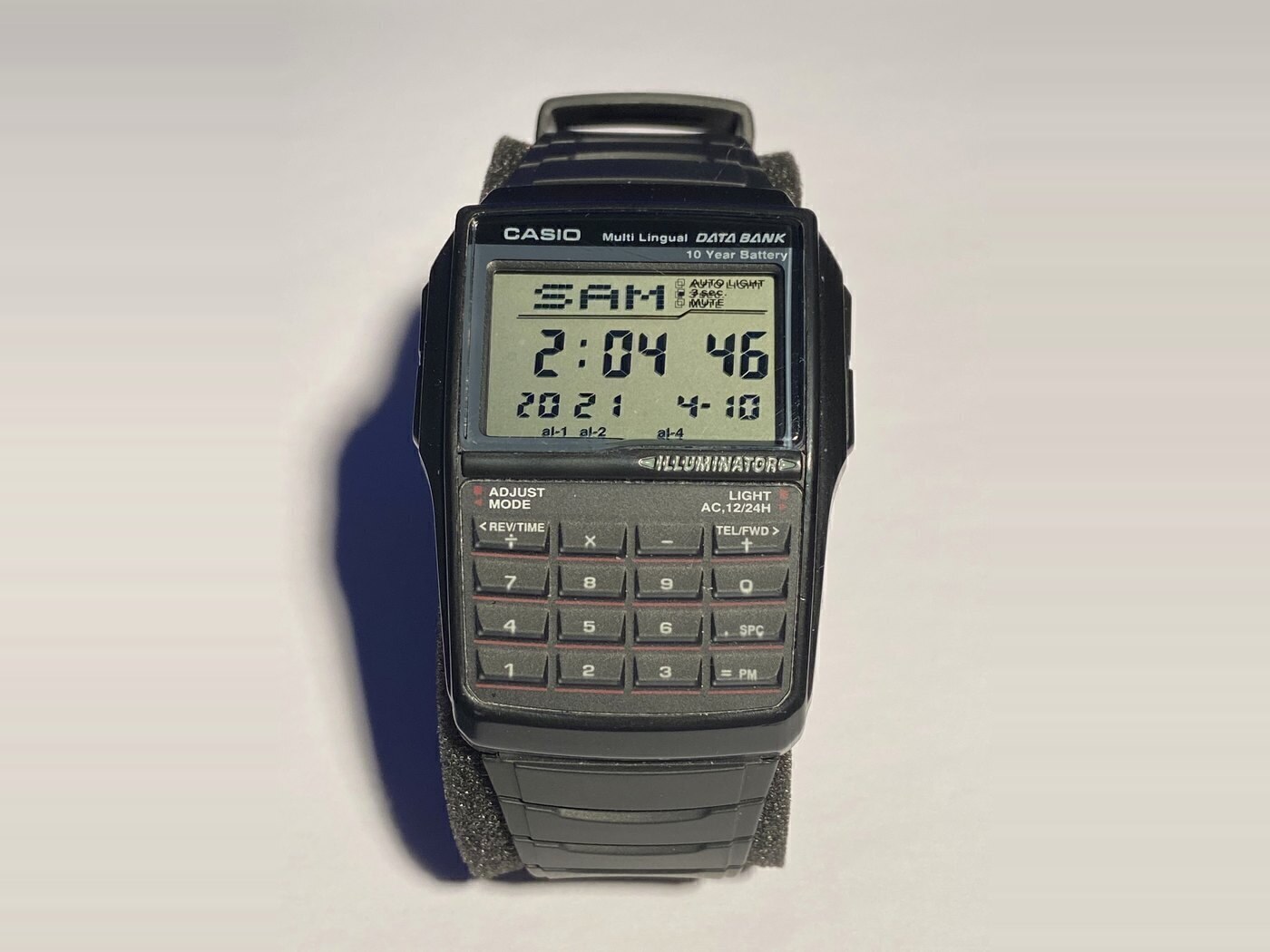
Casio DBC-32
DBC-32-1A
The chunky, resin-strapped Data Bank: same calculator, converter, telememo and ten-year battery as the DBC-611 in a wider case with a rubber band.
- Case
- 50.4 × 37.4 × 12.0 mm
- Weight
- 34 g (resin band)
- Battery
- CR2025
- Water resistance
- Listed by Casio as water resistant, without a published depth rating
Checked 19 Nov 2026 · Amazon
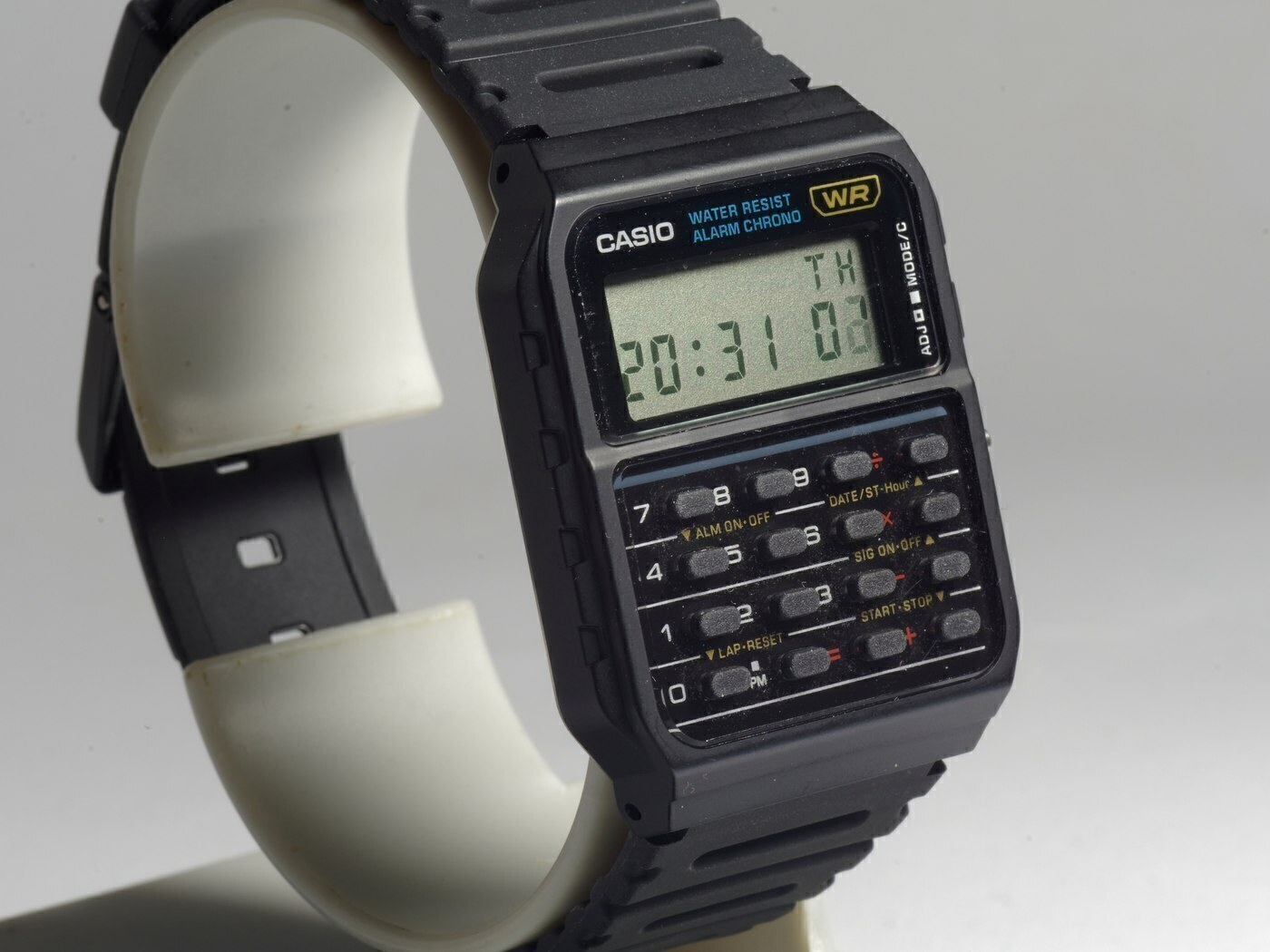
Casio CA-53W
CA-53W-1
The template calculator watch: a resin-cased 8-digit calculator with a full keypad, five-year battery and the lightest case of any model in this guide.
- Case
- 43.2 × 34.4 × 8.2 mm
- Weight
- 25 g
- Battery
- CR2016
- Water resistance
- Water Resistant (no depth rating published by Casio; not for swimming)
This article is editorial. Where a figure is given, it comes from the manufacturer’s published documentation and is dated on the page; where we are expressing a judgement, we say so. Something wrong? Tell us.